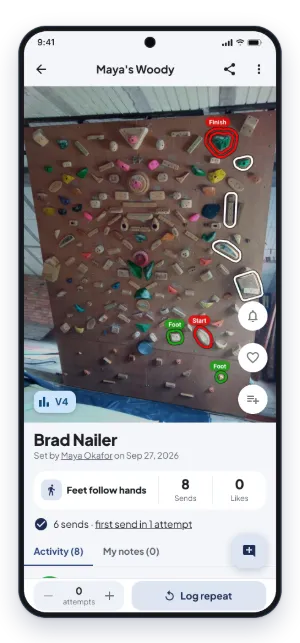
Instant home wall setting with AI
Set and share home wall climbs in a flash - no cost per photo and no processing times. Just take a photo, tap on the holds, and save your climb.
For home walls
Take one photo and Crux finds every hold in about a second. Tap the holds to set a climb, share your wall with friends and track every send. 100% free for home walls.
Free on iOS, Android and the web.
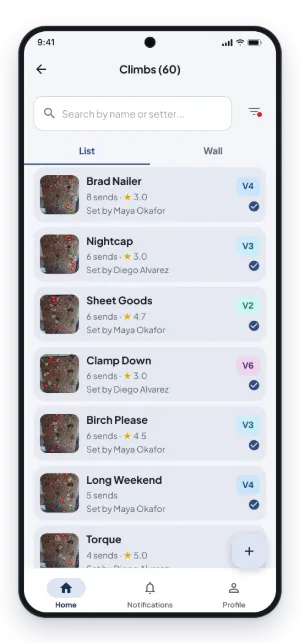
Set climbs in seconds, keep them organized and climb them with your crew.
Set and share home wall climbs in a flash - no cost per photo and no processing times. Just take a photo, tap on the holds, and save your climb.
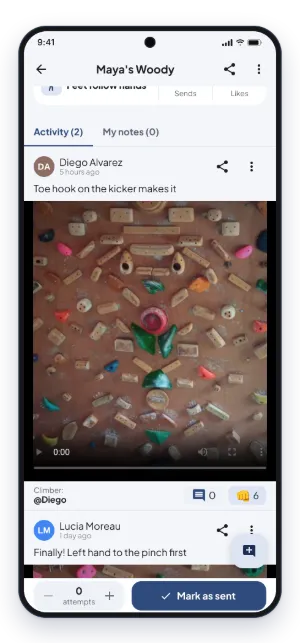
Send your crew a link to your wall so they can climb your sets, or let them set their own. Friends log their sends, rate climbs and post beta videos.
Powerful filtering tools help you keep your climbs organized. Search by name, grade, set date, wall, and more.
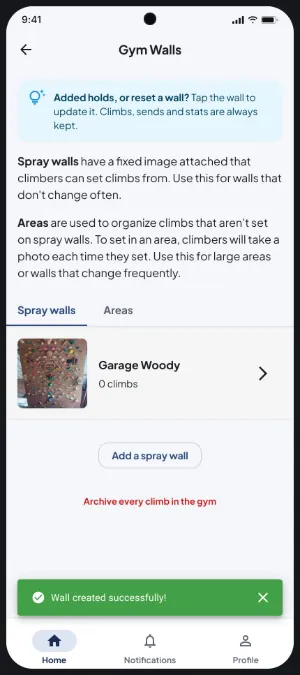
Take one photo from the front. Crux outlines every hold in about a second, from jugs to the smallest footholds.
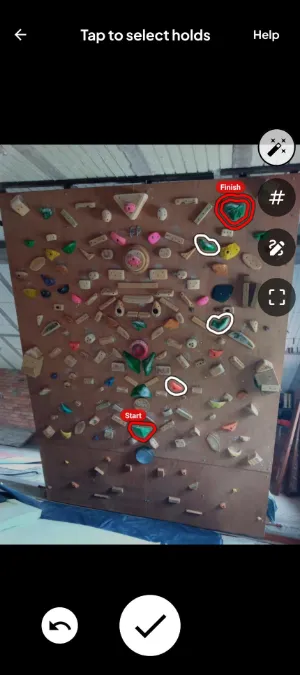
Pick the holds, mark the start and finish, and save. Your climb is ready to try.
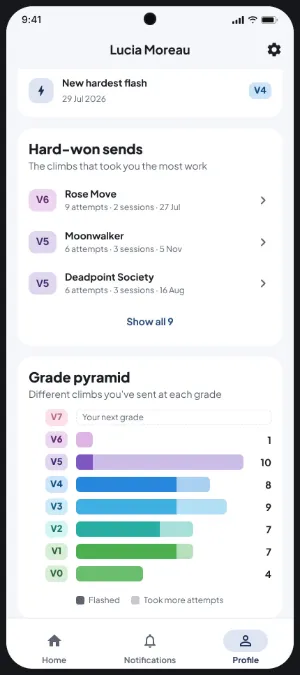
Log your sends and attempts, and watch your grades climb over time.
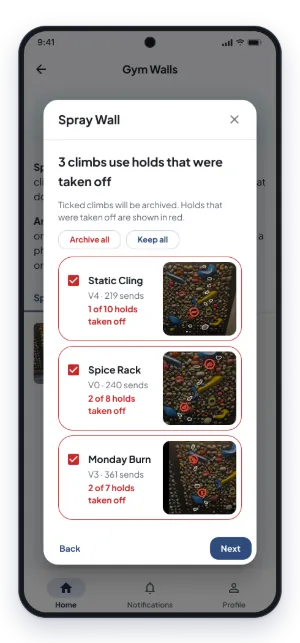
Take a new photo after a reset and choose which climbs to keep and which to archive.
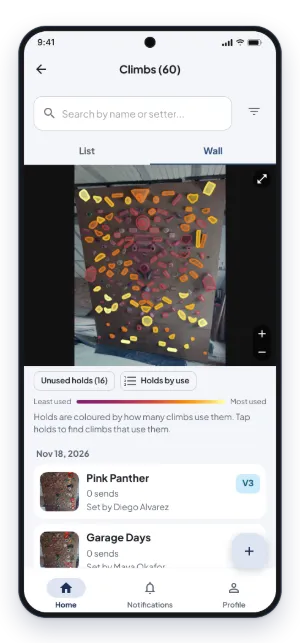
The wall view colours every hold by how many climbs use it, so you know where to set next.
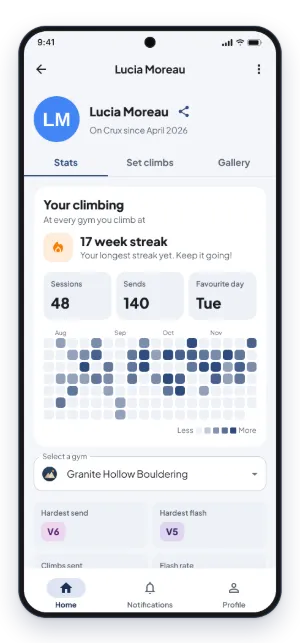
See your streaks, sessions and hardest sends, and spot your strengths and weaknesses to help you train.
Yes. Home walls are free, with no limit on climbs. Crux is kept free by supporters on Patreon, who get extras such as adjustable wall support and dark mode.
Any wall with holds on it - a garage board, a woody, a spray wall or a kids' wall. If you can take a photo of it, Crux can find the holds.
A couple of minutes. Take a photo, check the holds Crux found (add or remove any it got wrong) and start setting climbs.
Yes. Send your crew a link to your wall so they can climb your sets, log sends and post beta. Turn on "Allow anyone to set climbs" in your wall's settings to let them set too.
No. Take a new photo and Crux shows which climbs used the holds you took off, so you choose which to keep and which to archive.
Free on iOS and Android. Take one photo and start setting climbs.